
Corvette VIN Decoder — Chrome Extension
Decode any Corvette VIN without copying and pasting
Spotted a VIN in a classifieds ad, a forum post, or an auction listing? The Corvette VIN Decoder browser extension lets you select any VIN on any webpage, right-click, and get the full decode from Corvette Decoder instantly, no copy-pasting, no switching tabs to search.
See It In Action
Free • No account required • No extension tracking
How It Works
- Select any VIN on any webpage — a marketplace listing, a forum thread, an auction page.
-
Right-click the selected text and choose "Decode selected VIN with Corvette Decoder."
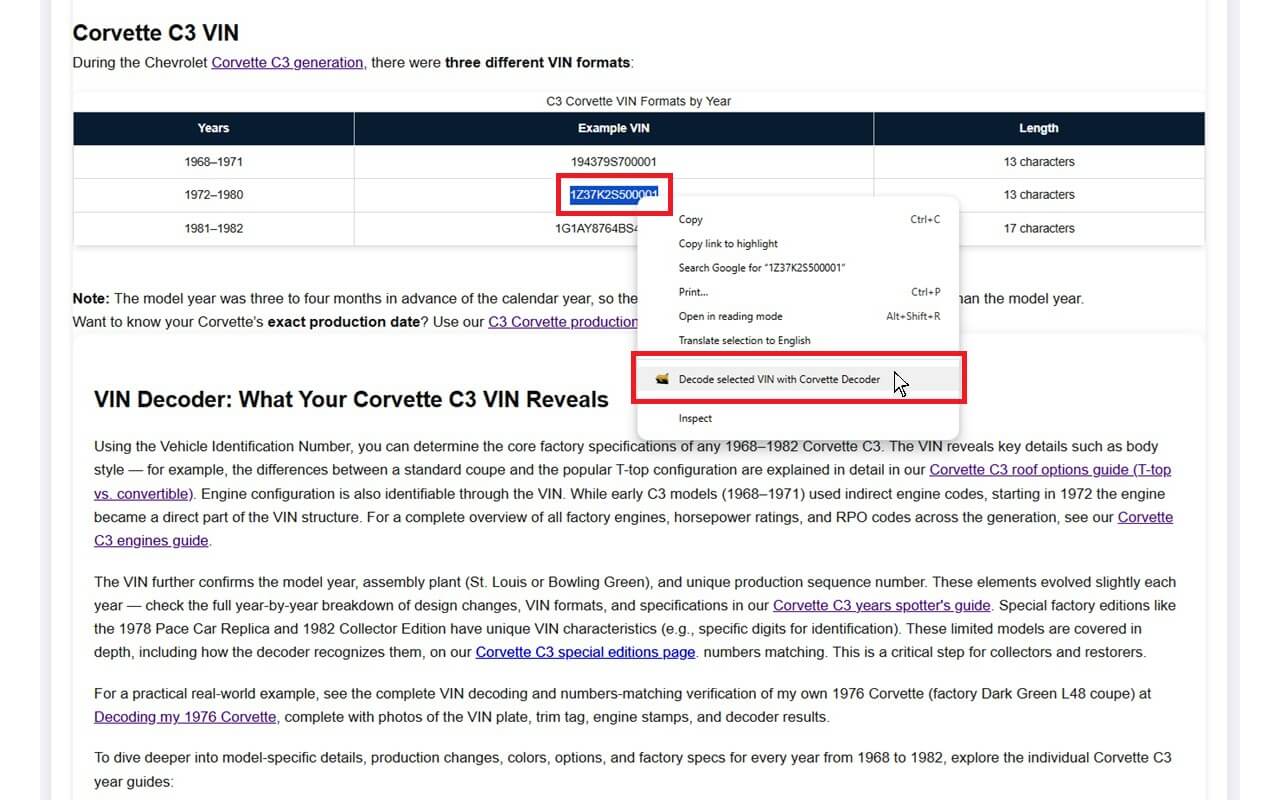
Select a VIN, then right-click to decode it -
A new tab opens with the full decode, automatically routed to the correct Corvette generation.
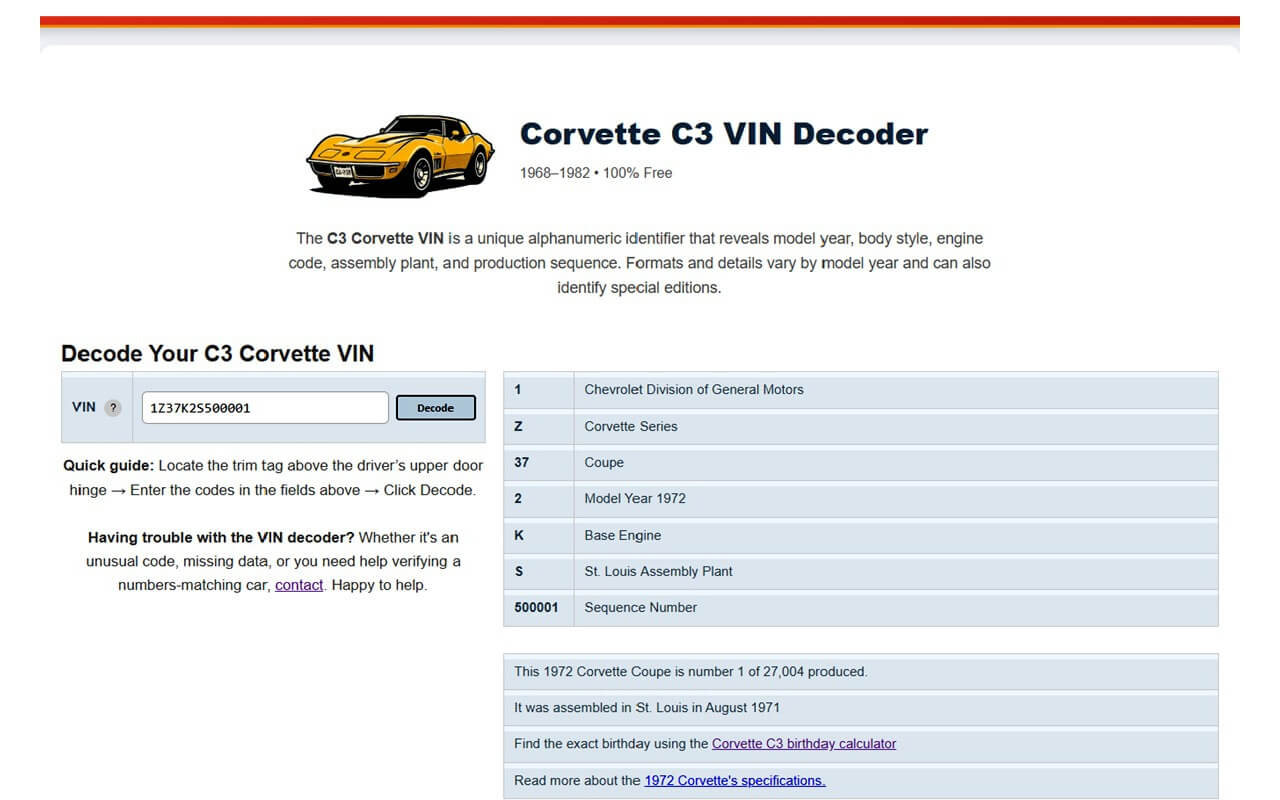
The decode opens instantly in a new tab
Works With Every Corvette Generation
The extension sends the selected VIN to Corvette C3 Decoder's routing system, which automatically identifies the generation — C1 through C8, 1953 to present — and opens the correct decoder for that VIN's structure. You don't need to know which generation you're looking at; the site figures it out for you.
Why I Built This
I built Corvette C3 Decoder because I kept running into the same problem myself. There was no quick way to check whether a Corvette for sale was actually original.
As more people started using the decoder, I also expanded it to cover all Corvette generations, not just the C3.
The browser extension came from the same frustration. I was constantly copying VINs from forum posts and marketplace ads, then pasting them into the decoder. A right click shortcut seemed like the obvious solution, so I built one.
The extension is built by hand and does one thing: it takes the VIN you select and opens it in the decoder. It does not include analytics or tracking.
Free • No account required • No extension tracking
Continue Exploring

Decoders Hub
VIN and trim tag decoders, checks, and guidance for authenticity and data lookups.

About the Creator
The story behind Corvette C3 Decoder, Jasse's own 1976 Corvette, and what drives the project.
Questions About the Extension?
Running into an issue, or have an idea for a feature? Leave a comment below or reach out through the contact form — feedback keeps this tool improving for the whole Corvette community.
Page last updated: September 2026